How does my camera work?
So from the past few weeks at work, I've been trying to get the camera pipeline up and running on mainline Linux. I've always been interested in working on cameras and multimedia development since my GSoC project of integrating libcamera into OpenCV from back in 2023. I thoroughly enjoyed learning how camera systems worked and what libcamera tries to do with them.
Here's an attempt to explain my understanding of the camera workings in Linux.
My setup
I'm working with a development kit of the Mecha Comet, which includes an IMX219 along with an i.MX8M Plus SOC.
The Camera
The IMX219 is a 1/4″ 8MP MIPI CSI-2 image sensor that outputs RAW bayer data. Most cameras nowadays generally output only RAW data and leave the processing to the SOC on your mobile/board for better processing. Bayer data alone cannot be directly interpreted as a full-color image and requires processing (demosaicing) to reconstruct RGB values, without it you would just be looking at a greyscale image.
What is a Bayer filter?
The bayer filter is a smart way of filtering RGB light so we can quantitatively calculate the amount of individual R, G and B components that fall on our CMOS sensor by which we can estimate the colour component. This video explains it well, also this.

The CMOS sensor then converts incoming photons into electrical signals at each pixel, which is then read out and digitized into pixel values.
MIPI-CSI
The sensor generates a lot of frames that need to be transprted super-fast for them to be processed and not losing them to the construct that is time. That's where MIPI-CSI comes in, the IMX219 packetizes the data according to the CSI-2 standard, which is the most commonly used specification developed by the MIPI-alliance. It is basically used for very high speed transfer with minimal electromagnetic interference. CSI is not to be mixed with I2C which is only used for configuring the sensor, such as sending init sequences and setting certain properties.
The CSI-2 receiver reconstructs the incoming data stream and exposes the pixel format provided by the sensor (e.g., SRGGB10 for IMX219). Think of MIPI CSI-2 as a high-speed packet-based transport layer specifically designed for streaming pixel data from sensors to the SoC. This is the RAW data which will now have to be utlized by the ISP to produce a nice sweet image.
The ISP(not your internet service provider)
The Image Signal Processor is perhaps the most important part of the pipeline, because while you might have the most high resolution shot of outerspace planets, it will be useless if that picture is incomprehensible. The ISP is what makes it comprehensible primarily using its corrective algorithms like demosaicing, color correction, noise reduction, exposure control, white balance, tone mapping, sharpening, and output formatting. The ISP then outputs data which you can see and appreciate.
How are they wired up together?
Now if you followed along you would've noticed the flow of data to be like
IMX219->MIPI-CSI block->CSI2 Receiver->ISP->You watching the image on your screen :)
But how does your operating system know that they are supposed to be wired up together to work in tandem? That's when the media controller comes into picture.
This graph below can look intimidating at first, but it’s simply a representation of how different blocks (called entities) are connected via inputs (sink pads) and outputs (source pads).
Let’s look at an example from my setup: IMX219 → CSI → ISP → /dev/videoX
📷 Media Controller Graph (rkisp1)
mecha@comet-m:~$ media-ctl -p -d /dev/media0
Media controller API version 6.19.0

Media device information
------------------------
driver          rkisp1
model           rkisp1
serial
bus info        platform:rkisp1
hw revision     0xe
driver version  6.19.0

Device topology
- entity 1: rkisp1_isp (4 pads, 4 links, 0 routes)
           type V4L2 subdev subtype Unknown flags 0
           device node name /dev/v4l-subdev0
       pad0: SINK,MUST_CONNECT
               [stream:0 fmt:SRGGB10_1X10/800x600 field:none colorspace:raw xfer:none ycbcr:601 quantization:full-range
                crop.bounds:(0,0)/800x600
                crop:(0,0)/800x600]
               <- "csis-32e40000.csi":1 [ENABLED]
       pad1: SINK
               [stream:0 fmt:unknown/0x0 field:none]
               <- "rkisp1_params":0 [ENABLED,IMMUTABLE]
       pad2: SOURCE
               [stream:0 fmt:YUYV8_2X8/800x600 field:none colorspace:srgb xfer:srgb ycbcr:601 quantization:lim-range
                crop.bounds:(0,0)/800x600
                crop:(0,0)/800x600]
               -> "rkisp1_resizer_mainpath":0 [ENABLED]
       pad3: SOURCE
               [stream:0 fmt:unknown/0x0 field:none]
               -> "rkisp1_stats":0 [ENABLED,IMMUTABLE]

- entity 6: rkisp1_resizer_mainpath (2 pads, 2 links, 0 routes)
           type V4L2 subdev subtype Unknown flags 0
           device node name /dev/v4l-subdev1
       pad0: SINK,MUST_CONNECT
               [stream:0 fmt:YUYV8_2X8/800x600 field:none colorspace:srgb xfer:srgb ycbcr:601 quantization:lim-range
                crop.bounds:(0,0)/800x600
                crop:(0,0)/800x600]
               <- "rkisp1_isp":2 [ENABLED]
       pad1: SOURCE,MUST_CONNECT
               [stream:0 fmt:YUYV8_2X8/800x600 field:none colorspace:srgb xfer:srgb ycbcr:601 quantization:lim-range]
               -> "rkisp1_mainpath":0 [ENABLED,IMMUTABLE]

- entity 9: rkisp1_mainpath (1 pad, 1 link)
           type Node subtype V4L flags 0
           device node name /dev/video1
       pad0: SINK
               <- "rkisp1_resizer_mainpath":1 [ENABLED,IMMUTABLE]

- entity 13: rkisp1_stats (1 pad, 1 link)
            type Node subtype V4L flags 0
            device node name /dev/video2
       pad0: SINK
               <- "rkisp1_isp":3 [ENABLED,IMMUTABLE]

- entity 17: rkisp1_params (1 pad, 1 link)
            type Node subtype V4L flags 0
            device node name /dev/video3
       pad0: SOURCE
               -> "rkisp1_isp":1 [ENABLED,IMMUTABLE]

- entity 29: csis-32e40000.csi (2 pads, 2 links, 0 routes)
            type V4L2 subdev subtype Unknown flags 0
            device node name /dev/v4l-subdev2
       pad0: SINK,MUST_CONNECT
               [stream:0 fmt:UYVY8_1X16/640x480 field:none colorspace:smpte170m xfer:709 ycbcr:601 quantization:lim-range]
               <- "imx219 2-0010":0 []
       pad1: SOURCE,MUST_CONNECT
               [stream:0 fmt:UYVY8_1X16/640x480 field:none colorspace:smpte170m xfer:709 ycbcr:601 quantization:lim-range]
               -> "rkisp1_isp":0 [ENABLED]

- entity 34: imx219 2-0010 (1 pad, 1 link, 0 routes)
            type V4L2 subdev subtype Sensor flags 0
            device node name /dev/v4l-subdev3
       pad0: SOURCE
               [stream:0 fmt:SRGGB10_1X10/3280x2464 field:none colorspace:raw xfer:none ycbcr:601 quantization:full-range
                crop.bounds:(8,8)/3280x2464
                crop:(8,8)/3280x2464]
               -> "csis-32e40000.csi":0 []
Now you might wonder how are these graph connctions formed. These are to be defined in your .dts(device tree structure) file, which the kernel reads by "walking along the nodes" and dynamically configures itself, allowing a single kernel image to support a wide range of hardware platforms.
Here's an excerpt from the Mecha Comet dts:
imx219: imx219@10 {
        compatible = "sony,imx219";
        reg = <0x10>;
        pinctrl-names = "default";
        pinctrl-0 = <&pinctrl_gpio_mclk>, <&pinctrl_gpio5>;
        clock-names = "xclk";
        clocks = <&clk IMX8MP_CLK_IPP_DO_CLKO1>;
        assigned-clocks = <&clk IMX8MP_CLK_IPP_DO_CLKO1>;
        assigned-clock-parents = <&clk IMX8MP_CLK_24M>;
        assigned-clock-rates = <24000000>;
        reset-gpios = <&gpio3 14 GPIO_ACTIVE_HIGH>;

        rotation = <0>;
        orientation = <2>;

        ports {
            #address-cells = <1>;
            #size-cells = <0>;
            port@0 {
                reg = <0>;
                imx219_out: endpoint {
                    remote-endpoint = <&mipi_csi_0_in>;
                    clock-noncontinuous;
                    data-lanes = <1 2>;
                    link-frequencies = /bits/ 64 <456000000>;
                };
            };
        };
    };

&mipi_csi_0 {
    status = "okay";
    fsl,blk-ctrl = <&media_blk_ctrl>;

    ports {
        #address-cells = <1>;
        #size-cells = <0>;

        /* input from sensor */
        port@0 {
            mipi_csi_0_in: endpoint {
                remote-endpoint = <&imx219_out>;
                data-lanes = <1 2>;
                clock-lanes = <0>;
            };
        };

        /* output to ISP */
        port@1 {
            mipi_csi_0_out: endpoint {
                remote-endpoint = <&isp0_in>;
            };
        };
    };
};

&isp_0 {
    status = "okay";

    ports {
        port@1 {
            isp0_in: endpoint {
                bus-type = <5>;
                remote-endpoint = <&mipi_csi_0_out>;
            };
        };
    };
};

&isi_0 {
    status = "disabled";

    ports {
        port@0 {
            /delete-node/ endpoint;
        };
    };
};
Think of it as a literal water processing plant pipeline, you have to connect how the water(data) flows through it by connecting the sinks(inputs) and sources(outputs) together and the individual blocks process it along the way.
The IMX219 is our primary data producing entity which then passes data to the CSI2 receiver followed by the ISP block(Rkisp1). Eagle eyed readers might have noticed that the media-controller graph has a lot more Rkisp1 nodes than our dts, that's because the Rkisp1 driver exposes a lot more sub devices internally for all the data processing.
At this point, we understand what each block does individually:
- Sensor captures RAW data
- CSI transports it
- ISP processes it
But these are just independent hardware blocks.
So how does data actually flow between them in a real system? How does Linux know that the output of the sensor should go into the CSI, and then into the ISP?
This is where the Media Controller framework comes in. Instead of treating the camera pipeline as one monolithic device, Linux models it as a graph of interconnected components: - Each hardware block (sensor, CSI, ISP) is a node - Connections between them are links - Data flows from source pads → sink pads
This graph-based model allows Linux to describe complex pipelines in a flexible and hardware-agnostic way.
How does this linking happen?
The Linux kernel builds the media controller graph, and it’s done together by the individual drivers (sensor, CSI, ISP) using the V4L2 + Media Controller framework.
When each individual driver is probed, each driver registers its own piece of the graph, and the kernel stitches them together.
Here's a small step-by-step process of the same:
1. Drivers probe
At boot: - I2C → sensor driver (e.g., IMX219) probes - Platform bus → CSI driver probes - ISP driver probes
Each driver initializes a V4L2 subdevice:
v4l2_subdev_init(...);
media_entity_pads_init(...);
2. Each entity declares pads
Each hardware block defines:
Sink pads → inputs Source pads → outputs
Example:
IMX219 → [SOURCE PAD]
CSI     → [SINK PAD] → [SOURCE PAD]
ISP     → [SINK PAD]
3. Device Tree defines connections
Device Tree describes physical wiring using endpoints:
endpoint {
    remote-endpoint = <&csi_in>;
};
Drivers parse this using:
fwnode_graph_get_next_endpoint(...);
This driver reads here what input connects to what output and so on.
4. Kernel creates links between entities
Based on DT, drivers create links:
media_create_pad_link(...);
The driver builds actual connections like:
[imx219] → [csi]
[csi] → [isp]
These are edges in the media graph.
5. Media device aggregates everything
All entities are registered under:
/dev/mediaX
If you have a look at the media controller graph you would notice that a lot of format negotiation will need to be done to get your desired output, for example to get a 1920x1080p video out, you would need to configure each component of the pipeline accordingly. To simplify this along with many other tasks libcamera comes to the rescue.
What is libcamera?
libcamera(always spelled with a lowercase l) is a userspace library built to simplify the complexities of modern embedded cameras. It takes care of acquiring your camera, configuring your pipeline, handle your tuning requirements(if any) and showcase your output. libcamera also provides you with an option of using a high quality software ISP to use if you don't have a dedicated ISP available.
a c /    +-------------+  +-------------+  +-------------+  +-------------+
p a |    |   Native    |  |  Framework  |  |   Native    |  |   Android   |
p t |    |    V4L2     |  | Application |  |  libcamera  |  |   Camera    |
l i |    | Application |  | (gstreamer) |  | Application |  |  Framework  |
i o \    +-------------+  +-------------+  +-------------+  +-------------+
  n             ^                ^                ^                ^
                |                |                |                |
l a             |                |                |                |
i d             v                v                |                v
b a /    +-------------+  +-------------+         |         +-------------+
c p |    |    V4L2     |  |   Camera    |         |         |   Android   |
a t |    |   Compat.   |  |  Framework  |         |         |   Camera    |
m a |    |             |  | (gstreamer) |         |         |     HAL     |
e t \    +-------------+  +-------------+         |         +-------------+
r i             ^                ^                |                ^
a o             |                |                |                |
  n             |                |                |                |
    /           |         ,................................................
    |           |         !      :            Language             :      !
l f |           |         !      :            Bindings             :      !
i r |           |         !      :           (optional)            :      !
b a |           |         \...............................................'
c m |           |                |                |                |
a e |           |                |                |                |
m w |           v                v                v                v
e o |    +----------------------------------------------------------------+
r r |    |                                                                |
a k |    |                           libcamera                            |
    |    |                                                                |
    \    +----------------------------------------------------------------+
                        ^                  ^                  ^
Userspace               |                  |                  |
------------------------ | ---------------- | ---------------- | ---------------
Kernel                  |                  |                  |
                        v                  v                  v
                  +-----------+      +-----------+      +-----------+
                  |   Media   | <--> |   Video   | <--> |   V4L2    |
                  |  Device   |      |  Device   |      |  Subdev   |
                  +-----------+      +-----------+      +-----------+
Here's how the output from my current setup looks like:
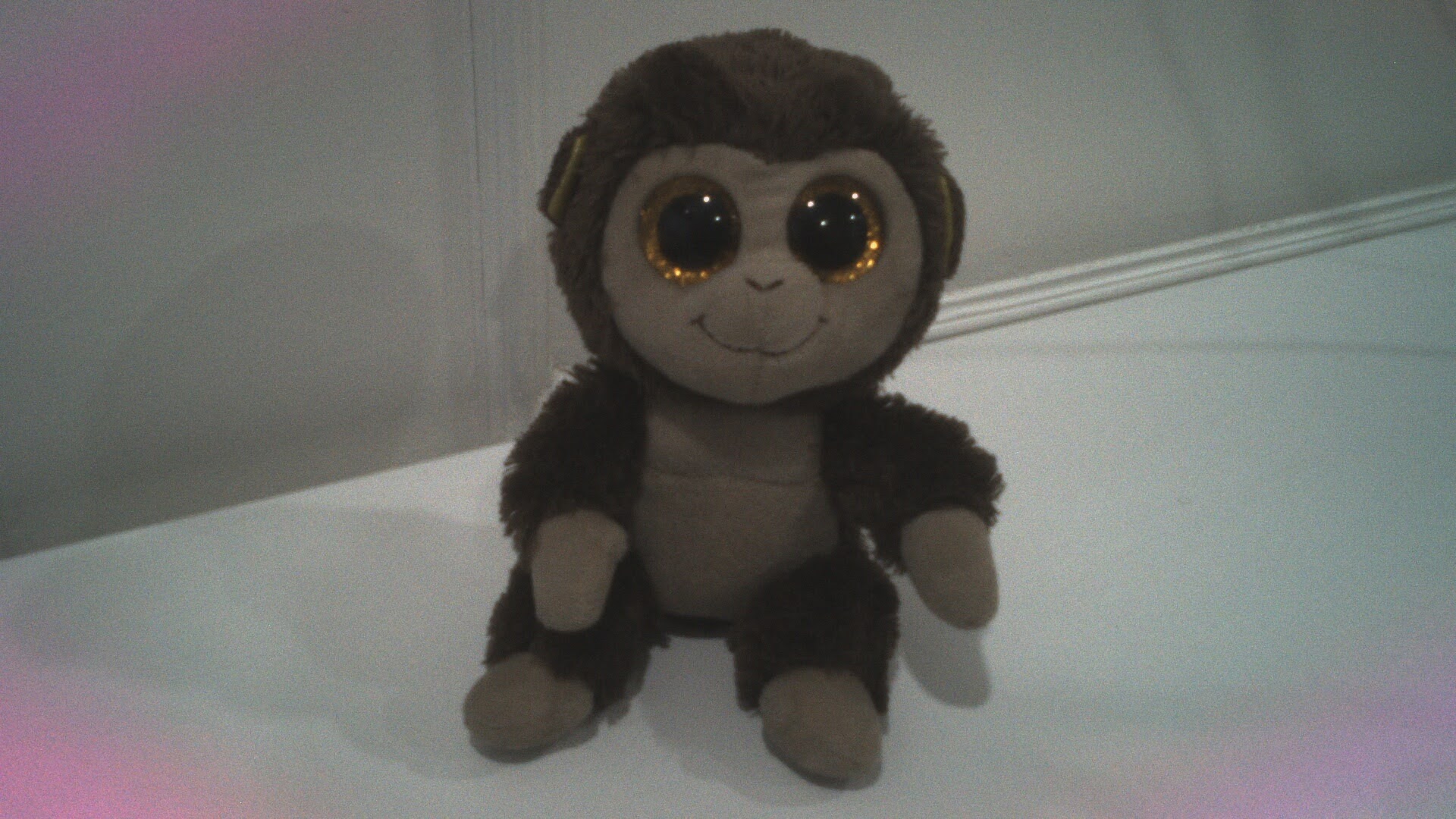
It does need some tuning, but hey, it works and it's all open source.
Final Thoughts
Modern camera pipelines might look complex at first(they are), but they follow a very structured logical flow: from light hitting the sensor → to RAW data → to processed images → to your favourite userspace applications.
Understanding how the hardware blocks connect via the media controller and how userspace tools like media-ctl and libcamera configure them is key to debugging and building camera systems on Linux.
This blog is just scratching the surface, trying to document my learnings as it can be quite intimidating at first, as there's just so much information to take in. I'll document more of my learnings as I navigate and try to understand the kernel and its subsystems better.
If you made it till here, thanks a lot, I hope it was worth your time :)
Feel free to drop any suggestions/corrections or to discuss anything by messaging or mailing me.
Au revoir!